
Autodesk All Apps Subscription: Complete Guide to Autodesk Software for Designers, Engineers, and Creators
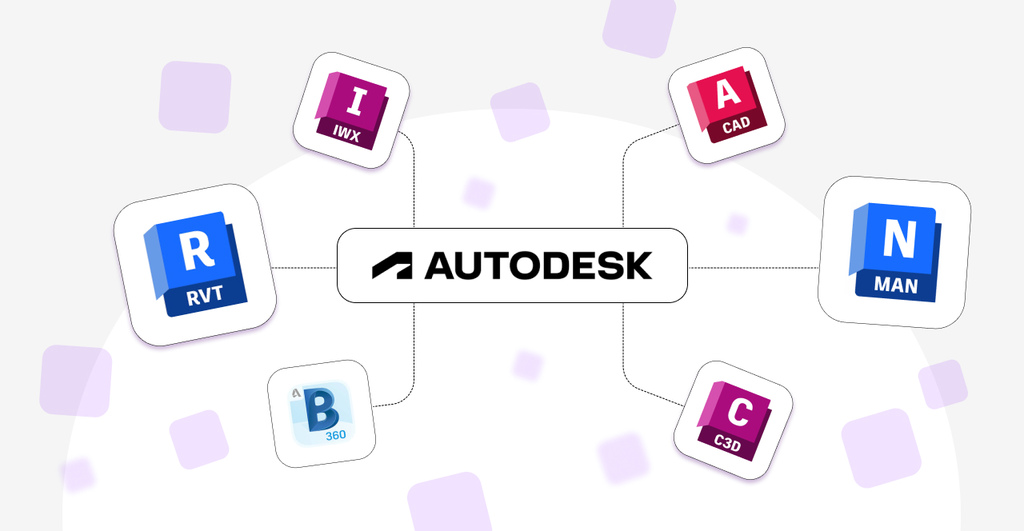
Autodesk All Apps Subscription: A Complete Guide for Designers, Engineers, and Creators
Professional design and engineering projects often require more than one software application. An architect may need AutoCAD and Revit, while a mechanical engineer may work with Inventor and Fusion. A 3D artist may use Maya and 3ds Max, while a civil engineer may rely on Civil 3D.
Buying and managing multiple software applications individually can be complicated and expensive. This is where an Autodesk All Apps subscription can provide a convenient solution.
Autodesk All Apps provides access to a wide range of professional software used in architecture, engineering, construction, manufacturing, product design, media, and entertainment.
What Is Autodesk All Apps?
Autodesk All Apps is designed for professionals and organizations that need access to multiple Autodesk applications.
Instead of choosing only one program, users can access a broad collection of Autodesk software for different types of projects and workflows.
Depending on your industry, Autodesk applications can be used for:
2D drafting and technical design
3D modeling
Architecture and building design
Structural engineering
Civil engineering and infrastructure
Mechanical design
Product development
Manufacturing
Animation
Visual effects
Game development
Construction planning
This makes Autodesk All Apps particularly useful for professionals who work across multiple disciplines or need flexibility in their software workflow.
Autodesk Software for Architecture and Construction
Autodesk provides several tools widely used in the architecture, engineering, and construction industries.
AutoCAD
AutoCAD is one of the world's most recognized CAD applications. It is widely used for creating precise 2D drawings and 3D designs.
It can be used for:
Architectural drawings
Engineering plans
Technical documentation
Floor plans
Mechanical designs
Construction drawings
Revit
Revit is designed for Building Information Modeling, commonly known as BIM.
Architects, structural engineers, and building professionals can use Revit to create detailed building models and coordinate different aspects of a construction project.
Civil 3D
Civil 3D is designed for civil engineering and infrastructure projects.
It can be used for projects involving:
Roads
Land development
Site design
Grading
Transportation infrastructure
Civil engineering documentation
For professionals working in construction and infrastructure, having access to multiple Autodesk tools can help support different stages of the design and development process.
Autodesk Software for 3D Design and Animation
Autodesk is also widely used in the media, entertainment, animation, and 3D design industries.
Maya
Maya is a professional 3D software application used for:
3D modeling
Animation
Character creation
Visual effects
Rendering
It is commonly used in film, television, animation, and game development workflows.
3ds Max
3ds Max is another popular 3D modeling and animation application.
It is widely used for:
Architectural visualization
3D modeling
Product visualization
Animation
Game asset creation
Rendering
Having access to multiple 3D applications can be useful for creative professionals who work on different types of projects.
Autodesk Software for Manufacturing and Product Design
Autodesk also offers powerful tools for engineers and manufacturers.
Inventor
Inventor is designed for professional mechanical design and engineering.
It can be used to create detailed 3D models, assemblies, and engineering documentation.
Fusion
Fusion provides tools for product design, engineering, manufacturing, and collaboration.
It can support workflows involving:
3D modeling
Product development
Engineering design
Manufacturing
Prototyping
Professionals who work across multiple stages of product development may benefit from having access to a broader Autodesk software ecosystem.
Why Choose Autodesk All Apps?
One of the biggest advantages of Autodesk All Apps is flexibility.
Instead of being limited to a single application, users can select the tools that best fit each project.
Access to Multiple Professional Applications
Different projects require different tools. Autodesk All Apps allows professionals to work across multiple applications depending on their specific requirements.
Useful for Multiple Industries
Autodesk software is used across many industries, including:
Architecture
Engineering
Construction
Manufacturing
Product design
Animation
Film
Gaming
3D visualization
Better Flexibility for Professionals
A professional may need AutoCAD for drafting, Revit for BIM projects, and 3ds Max for visualization.
Having access to multiple applications can provide greater flexibility when working with different clients and projects.
Suitable for Professional Workflows
Autodesk applications are designed for professional-level design, engineering, modeling, and creative work.
An All Apps subscription can be useful for freelancers, design studios, engineering teams, architecture firms, and creative professionals.
Autodesk All Apps 1-Year Subscription
The Autodesk All Apps 1-Year Subscription is suitable for users who want access to Autodesk applications for one year.
It can be a good choice for:
Freelancers
Students and learners
Designers
Architects
Engineers
Small businesses
Creative professionals
Users working on short-term or yearly projects
A one-year subscription provides flexibility without requiring a long-term multi-year commitment.
Autodesk All Apps 3-Year Subscription
The Autodesk All Apps 3-Year Subscription is designed for users who want longer-term access.
A longer subscription period may be suitable for:
Professional designers
Engineering professionals
Architecture firms
Long-term projects
Freelancers with ongoing clients
Businesses planning long-term software requirements
Users who know they will need Autodesk software for several years may prefer a longer subscription period.
Autodesk All Apps: Which Subscription Should You Choose?
The right option depends on your expected usage.
Choose a 1-Year Subscription If:
You want to try Autodesk software for a year
You are working on a short-term project
You need flexibility
You are a freelancer or individual user
You are unsure about your long-term requirements
Choose a 3-Year Subscription If:
You use Autodesk software regularly
You work on long-term projects
You want longer-term access
You are a professional designer or engineer
You want to avoid renewing every year
Who Can Benefit from Autodesk All Apps?
Autodesk All Apps can be useful for a wide range of professionals.
Architects
Architects can use tools such as AutoCAD and Revit for drafting, modeling, BIM, and building design.
Engineers
Engineers may use different Autodesk tools for mechanical design, civil engineering, product development, and technical documentation.
3D Artists
3D artists and animators can use applications such as Maya and 3ds Max for modeling, animation, visualization, and creative projects.
Manufacturers
Manufacturing professionals can benefit from Autodesk tools designed for product design, engineering, and manufacturing workflows.
Freelancers and Studios
Freelancers and creative studios may benefit from having access to multiple applications instead of purchasing separate solutions for different projects.
Autodesk All Apps vs Using Only One Application
Choosing a single Autodesk application can be suitable if you only need one specific tool.
For example, an architect who only needs AutoCAD may not require access to a complete collection of applications.
However, Autodesk All Apps can be more suitable when your work requires multiple programs.
For example, a design professional may need:
AutoCAD for technical drawings
Revit for BIM
3ds Max for visualization
Maya for animation or 3D work
In this type of workflow, having access to multiple applications can provide greater flexibility.
Final Thoughts
Autodesk All Apps is designed for professionals who need access to a broad range of design, engineering, manufacturing, architecture, and creative software.
Whether you work with CAD drawings, BIM projects, 3D models, product designs, manufacturing workflows, or animation, access to multiple Autodesk applications can help you choose the right tool for each project.
The 1-year subscription can be a flexible choice for users who need Autodesk software for a shorter period, while the 3-year subscription may be more suitable for professionals and businesses with long-term requirements.
Before choosing a subscription, consider the applications you need, your project duration, and how frequently you use Autodesk software.
Explore the Autodesk All Apps subscription options available from Easysoftwares:
Choose the subscription that best matches your professional workflow and software requirements.